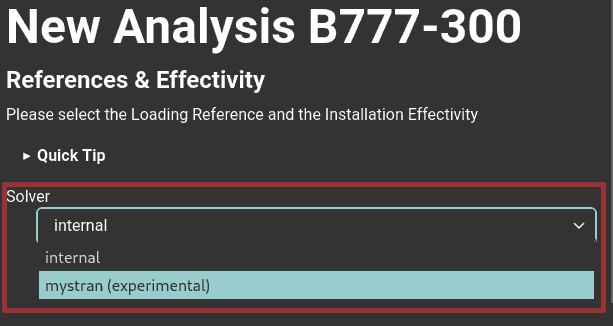
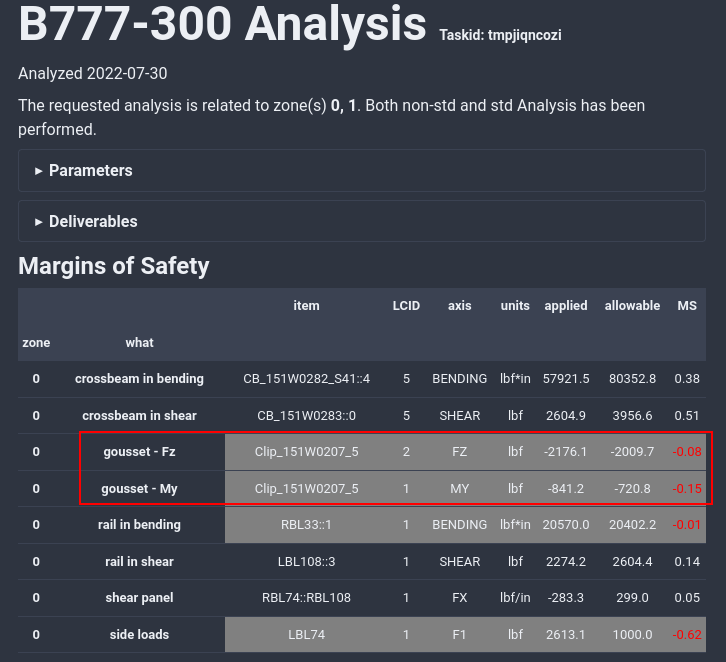
A new checker is added, in replacement or complement of Fx analysis. This checker is by default selected for non-standard zones, but available for standard loads.
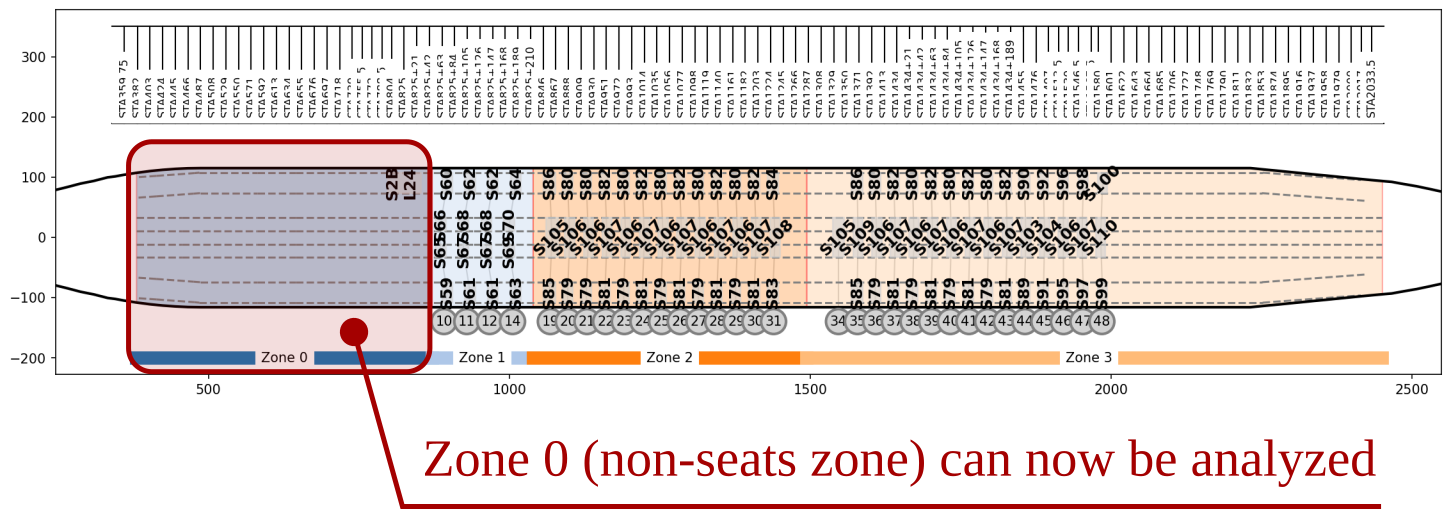
For newly created models, a dynamic LOPA viewer is provided in-place of static LOPA image. This dynamic LOPA allows zomming, coloring data, mouse Hovering, etc..
Loads are now transferred point by point, and not based on item’s angle as previously. This allows a correct load transfer when an item is localized on both canted and regular rail.
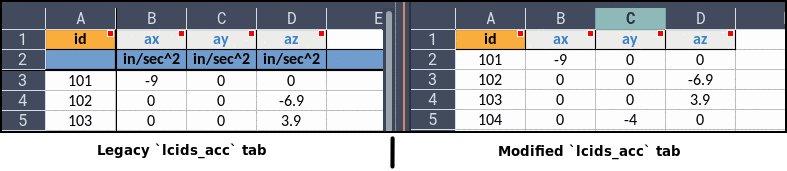
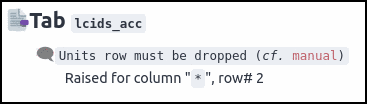
Starting from V3.1.1, legacy spreadsheets lcids_acc need to be modified. The units row (the second row in the input spreadsheet) must be dropped as shown Fig. 131. Running a legacy non-modified spreadsheet will lead to a validation error as shown Fig. 132.
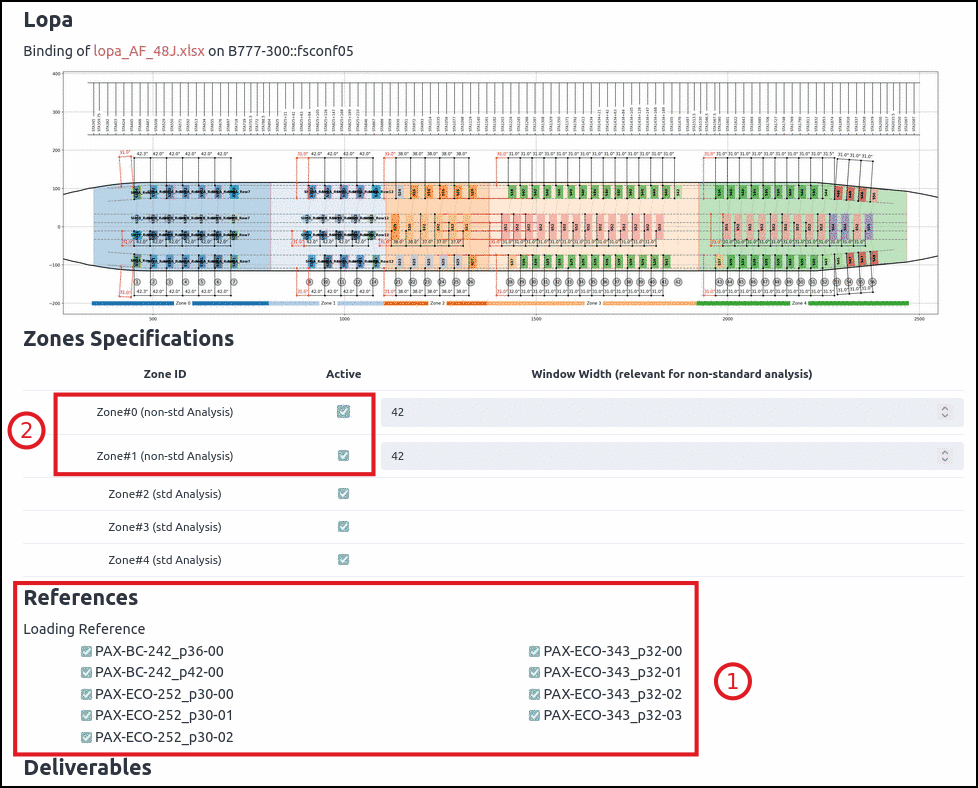
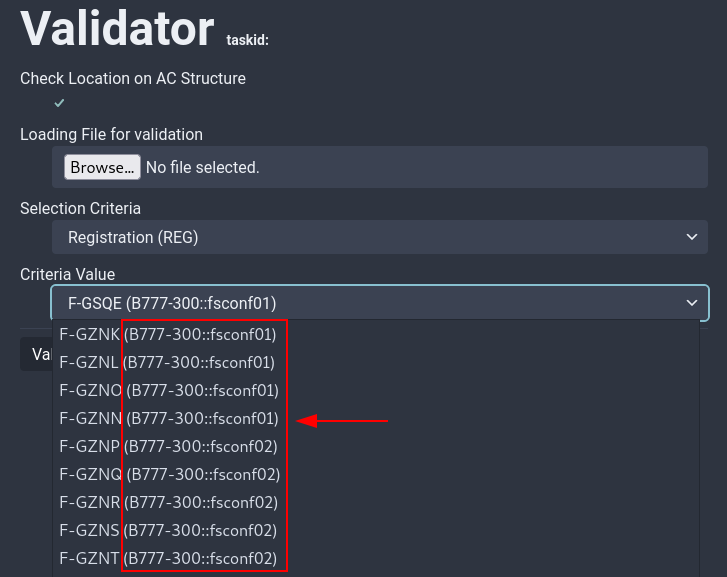
Now, depending on selectez zones type (non-standard or standard), or if only standard zones are found in the layout, references selection are shown or not.
As shown Fig. 133, References panel (1) is shown only if non-standard analysis are available and at least one non-standard zone is selected (2).
in V2 version, floortools was basically running two steps:
binding (associate a lopa with a structure) and validation
run + postpro + check and report in one shot.
The V3 version in more atomic; the process can be re-triggerd starting at any of those steps.
One of the main point is it allows to change a checker option (eg. shear panel window’s width) without running the first three points (binding, run and postpro).
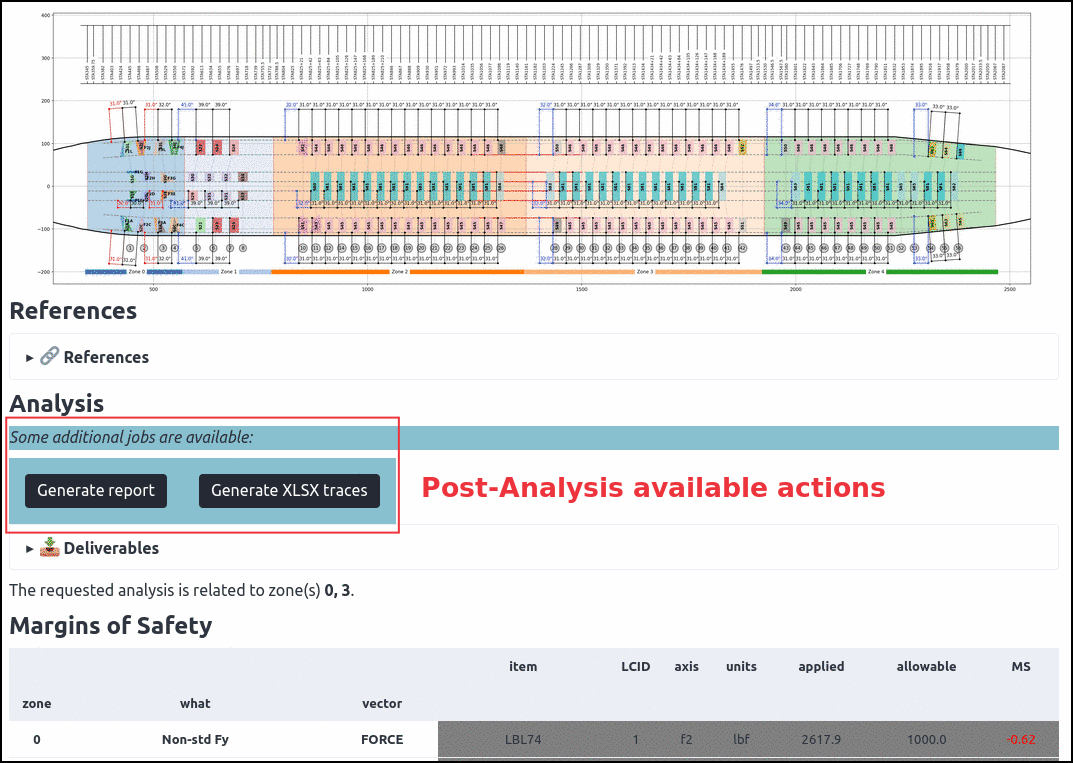
As of V3.0 the web interface does not make und extensive use of this granularity, except for post-analysis XLSX traces dumping and reporting:
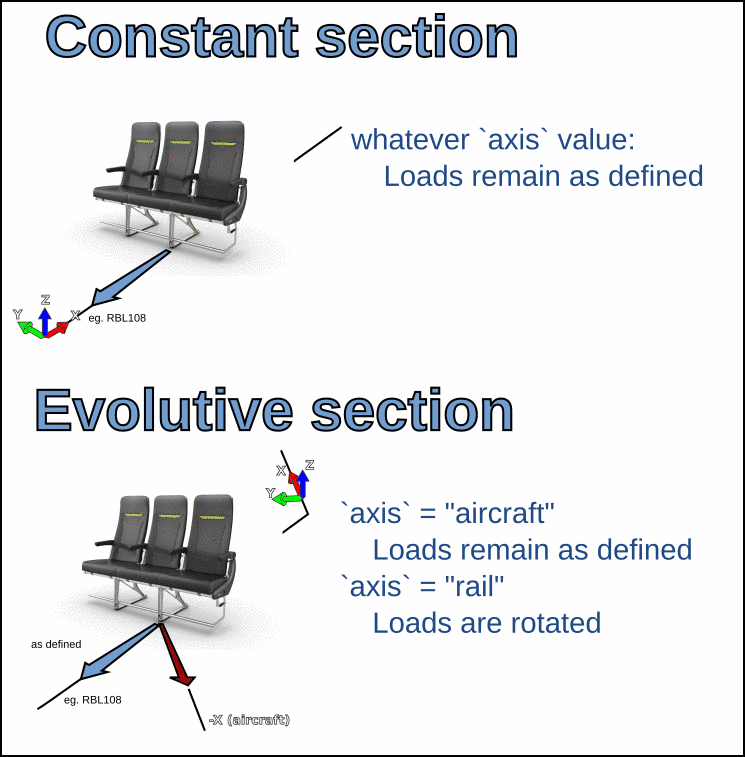
IFL are by default assumed to be entered in Aircraft Global Coordiantes System. User can now specify that a set of loads are submitted in the the rail coordinate system by using axis field.
FEMAP neutral file (.neu) and PATRAN neutral file .ses are now available as deliverables. They provide groups for virtual beams, sections, zones and loading.