Dynamic Lopa
Starting from V3.2, the FTools user web interface provides a dynamic LOPA in place of static LOPA figure.
Besides the main view, the dynamic LOPA provides 3 zones (numbers refer to Fig. 71):
1: Manipulation Tools (cf Dynamic LOPA Tools)
2: Hover Selectors (cf Dynamic LOPA Hover Selectors)
3: Layups Selectors(cf Dynamic LOPA Layups Selectors)
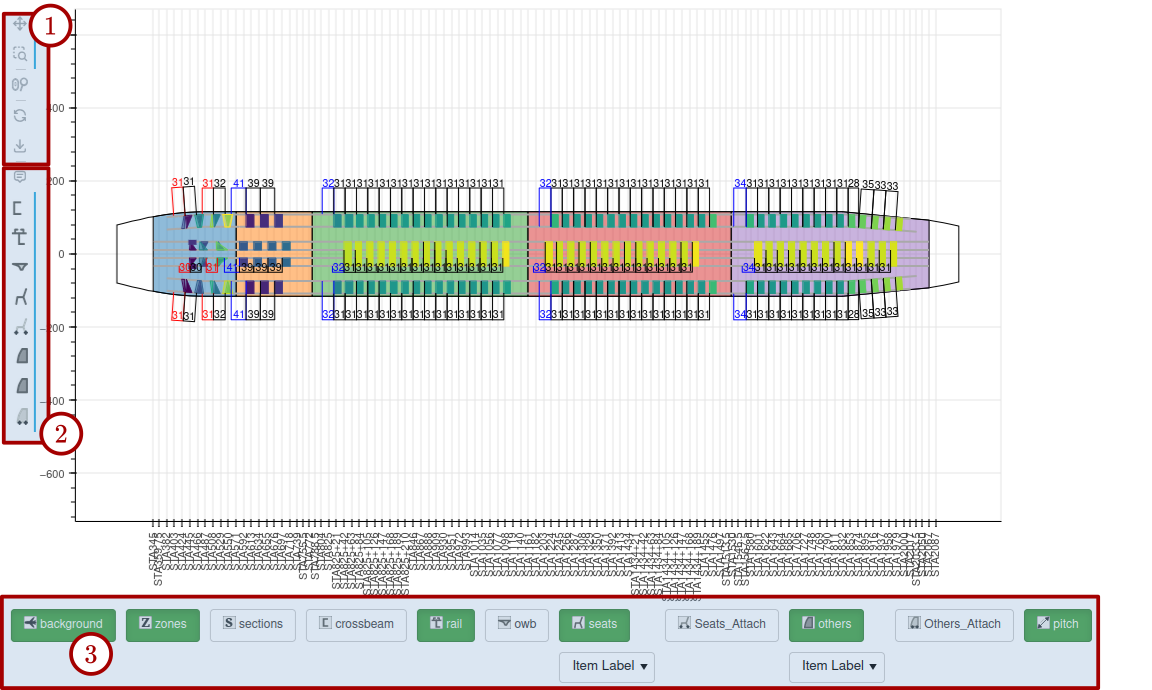
Fig. 71 FTools Dynamic LOPA zones
Dynamic LOPA Tools
The Zone 1 provides a set of convenient tools to manipulate the view:
1: Pan Tool. Click and left-drag (mouse device) to translate the view
2: Box Zoom: Click and select the details to zoom-in
3: Scroll Zoom: use the mouse scroll wheel to zoom-in/out. Convenient when combined with Pan Tool.
4: Reset View. Once done with zoom/pan, you can reset the view to its global aspect by clicking on it.
5: Save image: Click to save image on your disk
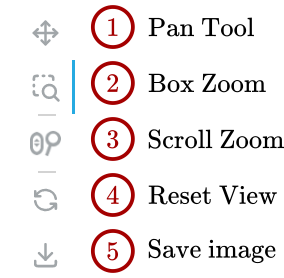
Fig. 72 FTools Dynamic LOPA tools
Dynamic LOPA Hover Selectors
Hovering consists in displaying selected data as mouse is moving over an item. The Dynamic LOPA provides several item families: rails, crossbeams, zones, seats, attachment points, etc… When using mouse hovering, it may be convenient to deactivcate some data to show. This is the point of those selectors.
Figure Fig. 73 shows a messy hovering action, since all the hover selectors are activated (highlighted in red). This leads to many superposed tooltips.
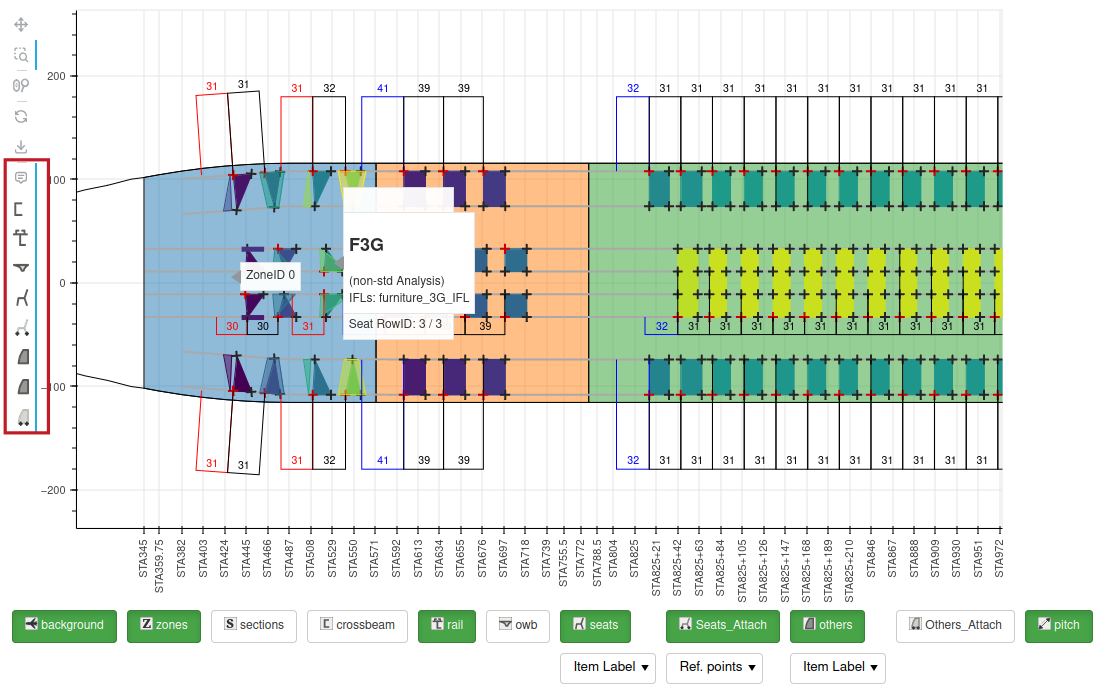
Fig. 73 Hovering with all hover activated can be a bit messy
Activating only the seats hover selector makes tooltips plot more predictable, as shown in Fig. 74.
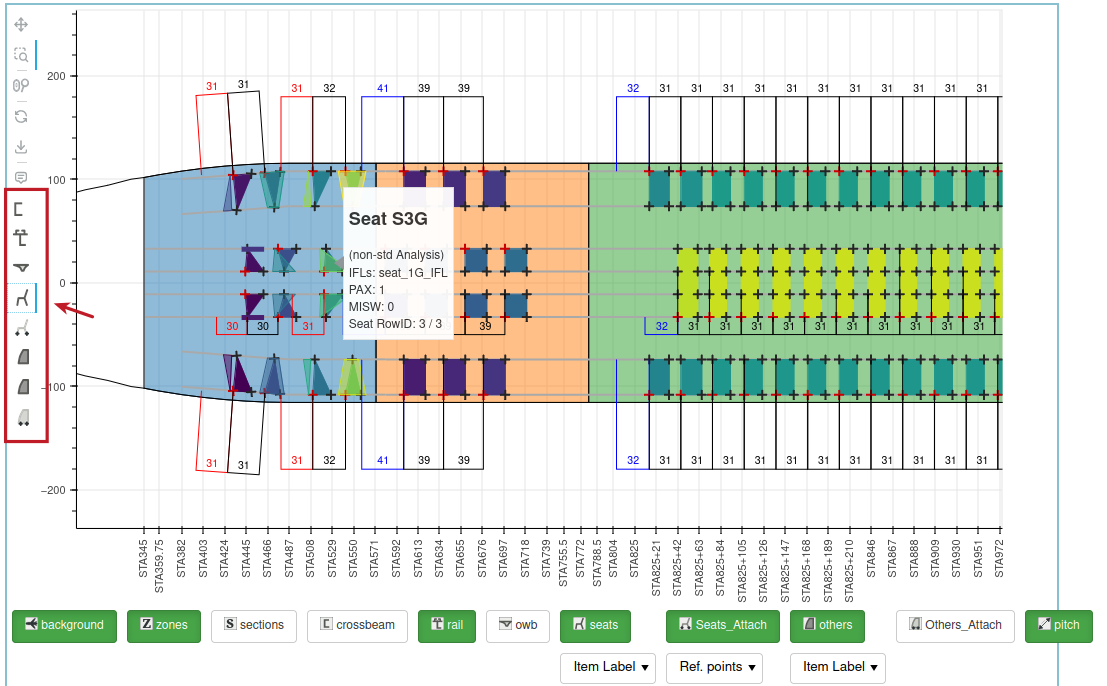
Fig. 74 Deactivating some hover selectors is easing the hovering
Dynamic LOPA Layups Selectors
Several Layups are available to the users. The Layups Selectors toolbar provides a way to hide/show those layups. Hidden layups are shown white on the toolbar, active (visible) layups are shown as green. Clicking the layup icon will toggle its status.
For some of the layups (seats, others, seats_attach, other_attach), a combo box provides different way of colouring the relevant items.

Fig. 75 Dynamic LOPA Layups Toolbar
Deactivating layups deactivate relevant hover tools.
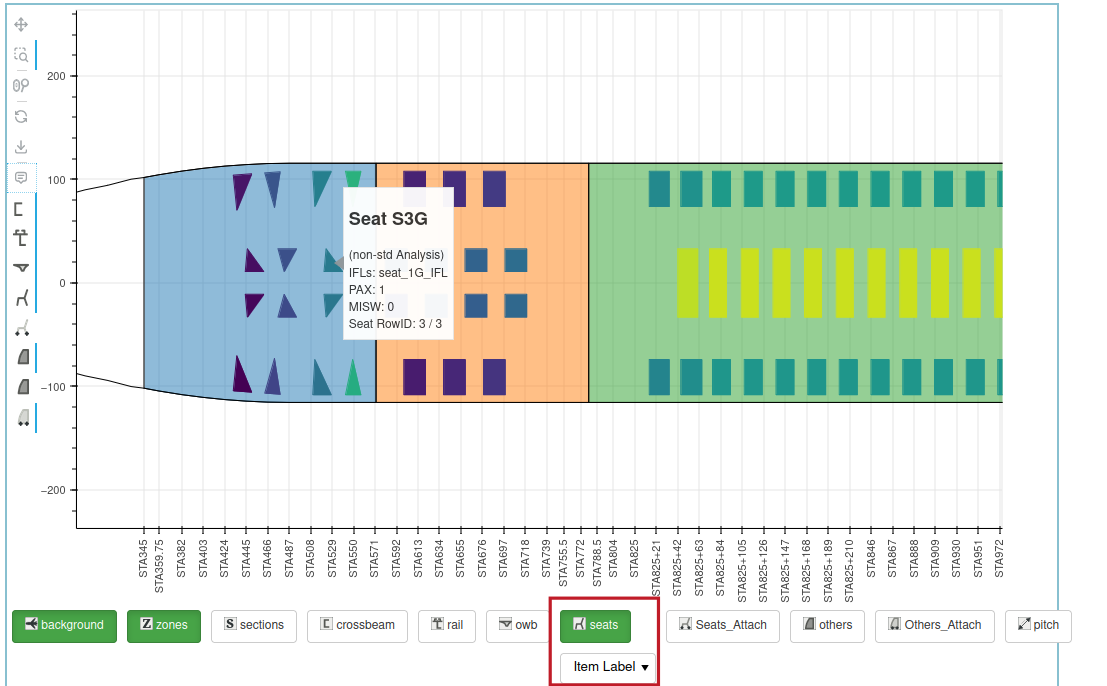
Fig. 76 Deactivating some layups simplifies the LOPA